
Content
That’s what I typed into Google first. Figuring out if it was RSI wasn’t straightforward as my symptoms didn’t quite fit. I’d dealt with stiff fingers in the mornings earlier that year, but it had eased up. Then, as I clocked more hours on my laptop, the issues resurfaced. The doctor’s fix? Cut back on work. For a starting entrepreneur this was obviously the worst advice you could get. So, that wasn’t something I was planning to do
However, I’m always on the lookout for tweaks to the usual laptop setup: whether it’s using a standard mouse, looking downwards, and frequently holding your phone. I’ll be sharing these adjustments here, hoping they’ll be helpful to you too! However, I want to make it clear that I’m neither a doctor nor a physical therapist. Therefore, everything I share is based solely on my personal experience in attempting to alleviate the symptoms.
Maintain a good posture
Making sure you maintain a good posture is key, even though it might sound like common sense. It often comes down to where your screen is positioned and the type of chair you’re using. For example, I’ve got this gaming chair with a handy cushion in the backrest that you can adjust. If getting a chair like this isn’t an option, you could think about using a lumbar support or a seat cushion (my boyfriend swears by them). They help keep your posture in check.
However, if your laptop sits too low while you’re sitting upright, typing can become uncomfortable. This is because when you look down, your posture tends to follow suit. Luckily, there are plenty of laptop stands out there. Personally, I’ve got two: a foldable one for when I’m on the move and another for my home office setup. Also, I recently spotted someone using a phone holder. Since I’m constantly using my phone for work as a social media manager and virtual assistant, I thought it was a brilliant idea and decided to get one for myself too! This way I spend less time with my phone in my hand. I can still use it while on the stand.
Take regular breaks
This might be the trickiest part, but try to take short breaks every fifteen minutes, longer breaks every hour, or a mix of both. During these breaks, move your body differently than when you’re working. Go for a walk, do some stretching but do not grab your phone. Several apps can help remind you to take breaks; I personally use Time Out on my Mac.
Use the right equipment
Use a mouse and keyboard that allow your hands to work in a comfortable position. Personally, I prefer the DeLUX Seeker, although not all mice are compatible with MacBooks. While this one doesn’t support all functions, I was drawn to its appearance, haha. Oh, and even the mousepad should have a nice color; mine is pink. Naturally, my keyboard had to match, so it’s also white. These little tweaks can make a difference with RSI.

Consult your doctor if you experience any symptoms
Although these suggestions can offer some help, it’s important to reach out to your doctor if you’re experiencing any discomfort working. I’m not a medical expert, so seeking professional advice is crucial if you’re dealing with symptoms of RSI. Currently, I’m continuing to consult with my doctor and plan to discuss this further with a physiotherapist soon. These are just the steps I’m taking based on my own experience.
You’re never too old to improve your posture
Hey, why not take a moment to think about your posture? You might not feel the effects now, but most of the folks I know here on Insta aren’t exactly in their twenties anymore. It’s not too late to start preventing RSI.
RSI Bingo
To help you spot possible RSI symptoms and causes, here’s a fun “RSI Bingo”.
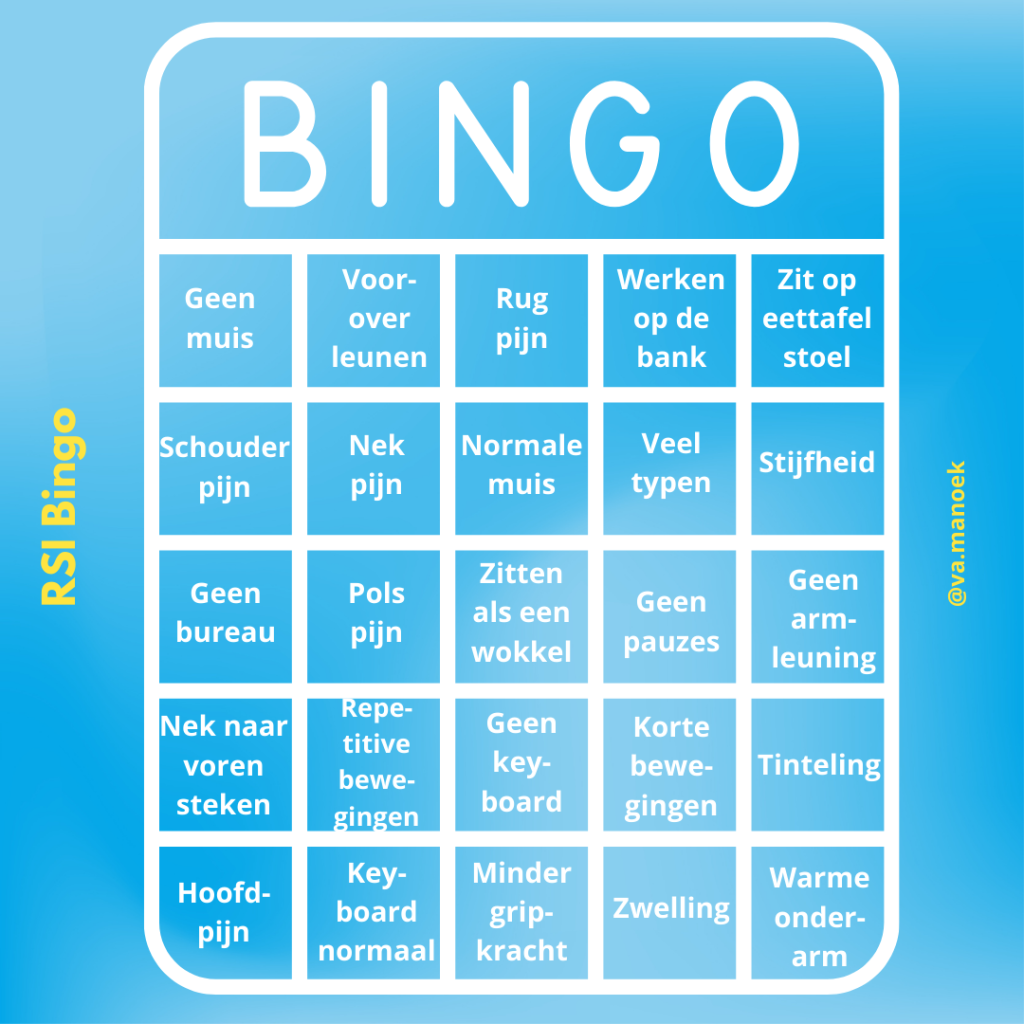
Make sure to dedicate time to self-care and looking after your body, and always keep in mind: prevention is key! Other items you noticed in my home office snapshot include: a vibrant water bottle, Gigabyte monitor, pen holder, and smart lamp.
For further insights into online entrepreneurship, don’t hesitate to explore my blog post on selecting a hosting provider.
Psst! Heads up: some of the links in this message are affiliate links. What does that mean? Well, if you click on one and decide to use the service or product. I receive a small commission. But don’t worry, it won’t cost you a penny extra! And rest assured, all the opinions you find here are entirely my own.