
Contents
As a millennial who spends her days as a virtual assistant, I’m always on the lookout for ways to upgrade my online game. Let’s face it, who doesn’t want to stay in the loop with the best tools in the digital world while also working efficiently? So, here’s the scoop, I’m sharing a few of my secret weapons: Canva, Capcut, and OpusClip. These editing tools? They’re like my digital sidekicks, always there to level up my content game.
Canva, the versatile editing tool
By now, Canva is a household name for most of us. It’s my go-to tool for sprucing up my social media game. With Canva Pro’s user-friendly features, it’s like having a superpower to create awesome images, infographics, presentations, and even videos, all without needing to be a graphic designer. There’s often some debate online about the ‘graphic design’ aspect of Canva, but regardless of the label, it’s become an essential part of the design world.
How do you use Canva as an entrepreneur?
- Spice up your social media posts with eye-catching images that your audience can’t ignore. Boost that engagement to the stratosphere! Lacking experience or inspiration? No worries, Canva’s got the designs ready for you. Just tweak them to fit your style.
- Go for gold with professionally crafted presentations for your business pitches or webinars. Need to build a website for your business? You can do that too, right within Canva.
- Make complex information understandable and engaging with compelling infographics. No more dull reports, just captivating visuals that reinforce your message.
CapCut, the indispensable video editing tool
CapCut is a hugely popular video editing tool that’s ideal for entrepreneurs who churn out video content for their businesses regularly. This app packs all the essentials for crafting professional-looking videos straight from your phone. From cropping and trimming to transitions, effects, and beyond – it’s got you covered. Noticed those Instagram reels with subtitles? Chances are, they were edited using CapCut. Plus, there’s both a pro and free version, along with phone and desktop versions.
How can you utilise CapCut in your company?
- Get your video content to go viral, showcasing your products or services on your socials. Smooth out transitions, use a green screen, and edit your videos like a pro with CapCut.
- Share your expertise by editing instructional videos or tutorials. Pass on your knowledge to your target audience in a way that sticks. Remember to add subtitles, not everyone can or wants to have their sound on.
- Bring your brand and personality to life digitally with vlogs or behind-the-scenes content. Build a connection with your audience by giving them a peek behind the curtain and showing off your true brand personality.
OpusClip, the snippet wonder tool
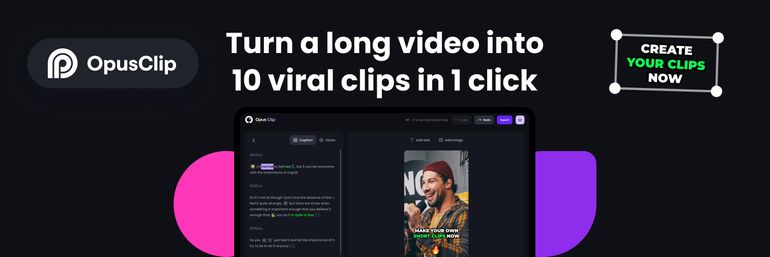
Last, but certainly not least! OpusClip is the ultimate AI editing tool for cutting and editing videos, allowing you to effortlessly transform your long videos into viral short clips with just one click. I repeat, with a single click, this tool creates multiple videos from your lengthy one. So, picture this: you’ve recorded a one-hour podcast with video, OpusClip can convert it into several short videos, complete with subtitles for YouTube, Instagram, or TikTok.
Do you usually spend hours picking out the perfect bits of video for your social media? Using AI, OpusClip analyses your videos and selects the best parts, seamlessly merging them into standalone viral clips. Overall, OpusClip can prove to be a valuable asset for entrepreneurs seeking to streamline their video editing process, save time, and strengthen their online presence.
How can you use OpusClip for your business?
- Turn long videos into snippets with a flick of a switch, let AI do its job by automatically recognizing the speaker, and waste no more time on lengthy cutting and pasting!
- Automate captioning and by creating shorter, more digestible video clips, you can capture and retain your audience’s attention more effectively. This can lead to higher engagement and more interaction.
- Connect your various social media platforms to OpusClip and schedule your videos for efficiency right after creation.
As business owners, we understand that staying up to date of the latest technological advancements is crucial for our company’s growth in the digital sphere. With tools like Canva, Capcut, and OpusClip, we’re not just keeping pace, but also crafting top-notch content efficiently and creatively to make our brand shine and leave a lasting impact.
I hope you find these editing tools helpful, and do let me know if any of them or others excite you. If you’re hungry for more entrepreneurial tips, be sure to check out my blogs or follow me on Instagram.
Psst! Heads up: some of the links in this message are affiliate links. What does that mean? Well, if you click on one and decide to use the service, I receive a small commission. But don’t worry, it won’t cost you a penny extra! And rest assured, all the opinions you find here are entirely my own.